Guest List & RSVPs
A practical guide to building your guest list, collecting addresses, and keeping track of RSVPs without losing your mind.
1. Guest List Basics
The guest list touches almost every part of your wedding: budget, venue size, catering, timelines, and even your stress level. A little structure now saves a lot of headache later.
Start with a Number
Look at your venue's capacity and your budget to decide an ideal guest count, plus a hard maximum you won't go over.
Think in Households
Track invites by household, not individuals. That makes it easier to count invitations, plus-ones, and kids.
Mindset tip: There's no such thing as a perfect guest list. Your goal is a group of people who love and support you, within the boundaries of your space, time, and budget.
2. Splitting the List Fairly
One of the trickiest parts of the guest list is balancing expectations between you, your partner, and your families. A simple structure can keep things feeling fair.
Your Side
Immediate family, closest friends, meaningful mentors.
Partner's Side
Mirror your own criteria as much as possible.
Family Requests
Parents often have a few "must invite" guests. Give them a defined number of spots.
A/B list approach: Create an A-list of definite invites and a B-list you'll invite only if you get more declines than expected. This helps you stay within capacity without endless rework.
3. Collecting Contact Details
Once you know who you're inviting, the next hurdle is tracking down addresses and contact info. Decide on one "single source of truth" and stick to it.
What to Collect
- • Names for each person in the household
- • Mailing address or preferred email
- • Phone number for last-minute changes (optional)
- • Notes on relationships or special considerations
How to Collect It
- • Shared spreadsheet or planning app
- • Group message to parents for extended family info
- • Simple form you can text or email to friends
- • One person in charge of updates, everyone else submits changes
Data entry tip
Decide on a consistent format for names (e.g., "Jordan Smith" versus "Smith, Jordan"), titles, and addresses. Consistency now makes invitations, escort cards, and thank-you notes much easier later.
4. Invitations, Plus-Ones & Kids
Clear internal rules around plus-ones and kids help you make individual decisions quickly and keep your guest list aligned with your vision.
Plus-One Guidelines
- • Couples who are married, engaged, or living together
- • Long-term partners you've met or know are important
- • Wedding party members often get a plus-one
- • It's okay not to offer plus-ones to every single guest
Kids or Adults-Only?
- • Decide if your wedding is fully family-friendly, adults-only, or a mix
- • Be consistent within each group (e.g., all cousins under 12, or none)
- • Consider childcare options if many guests are parents
- • Make the policy clear on your invitation and website
Clarity beats awkwardness: How you address the envelope and word the invitation should match who is actually invited. A detailed guest list makes that easy to keep straight.
5. RSVPs, Meal Choices & Deadlines
Your RSVP system should answer three questions: Who's coming, what do they need, and what does your caterer/venue need to know?
What to Ask For
- • Who is attending from each household
- • Meal choice and dietary restrictions (if applicable)
- • Accessibility needs or mobility considerations
- • Song requests or notes (optional, but fun!)
RSVP Methods
- • Online RSVP form on your wedding website
- • Paper RSVP cards with pre-addressed envelopes
- • A combination (paper for some guests, digital for others)
- • One place where you always update the final status
Recommended RSVP timeline
- • Set your RSVP deadline about 1 month before the wedding date
- • Start sending gentle reminders 7–10 days before the deadline
- • Personally reach out to any remaining guests after the deadline passes
Your Guest List Timeline
Draft Your Master List
- Agree on an approximate guest count with your venue capacity in mind
- Create an individual list (A/B/C if needed) for each side of the family
- Note “must invite”, “would love to invite”, and “nice to have” guests
Finalize Addresses & Contact Info
- Collect mailing addresses or email addresses for each household
- Confirm name spellings and titles (Dr., Jr., etc.)
- Note preferred communication channels for tricky-to-reach guests
Send Invitations & Set RSVP Rules
- Mail or send digital invitations
- Clearly state RSVP deadline and method (website, card, text, etc.)
- Include options for meal selections and dietary needs if relevant
Finalize Numbers with Vendors
- Close RSVPs and follow up with stragglers
- Share final counts (and meal numbers) with venue and caterer
- Note special seating or accessibility needs for your floor plan
6. Changes, Declines & No-Shows
People's plans change. A flexible system lets you update numbers quickly without losing track of who's actually coming.
Declines
Mark declines clearly but keep them on your master list. You'll want them for thank-you cards and future reference.
Last-Minute Changes
Note guest swaps, plus-ones added/removed, and any updated meal choices as they happen.
No-Shows
If someone doesn't show up, record it after the wedding so your actual attendance numbers stay accurate.
Vendor coordination
Keep a simple summary handy for your venue and caterer: final headcount, number of kids, number of highchairs, special dietary needs, and any guests who require priority seating or accessibility accommodations.
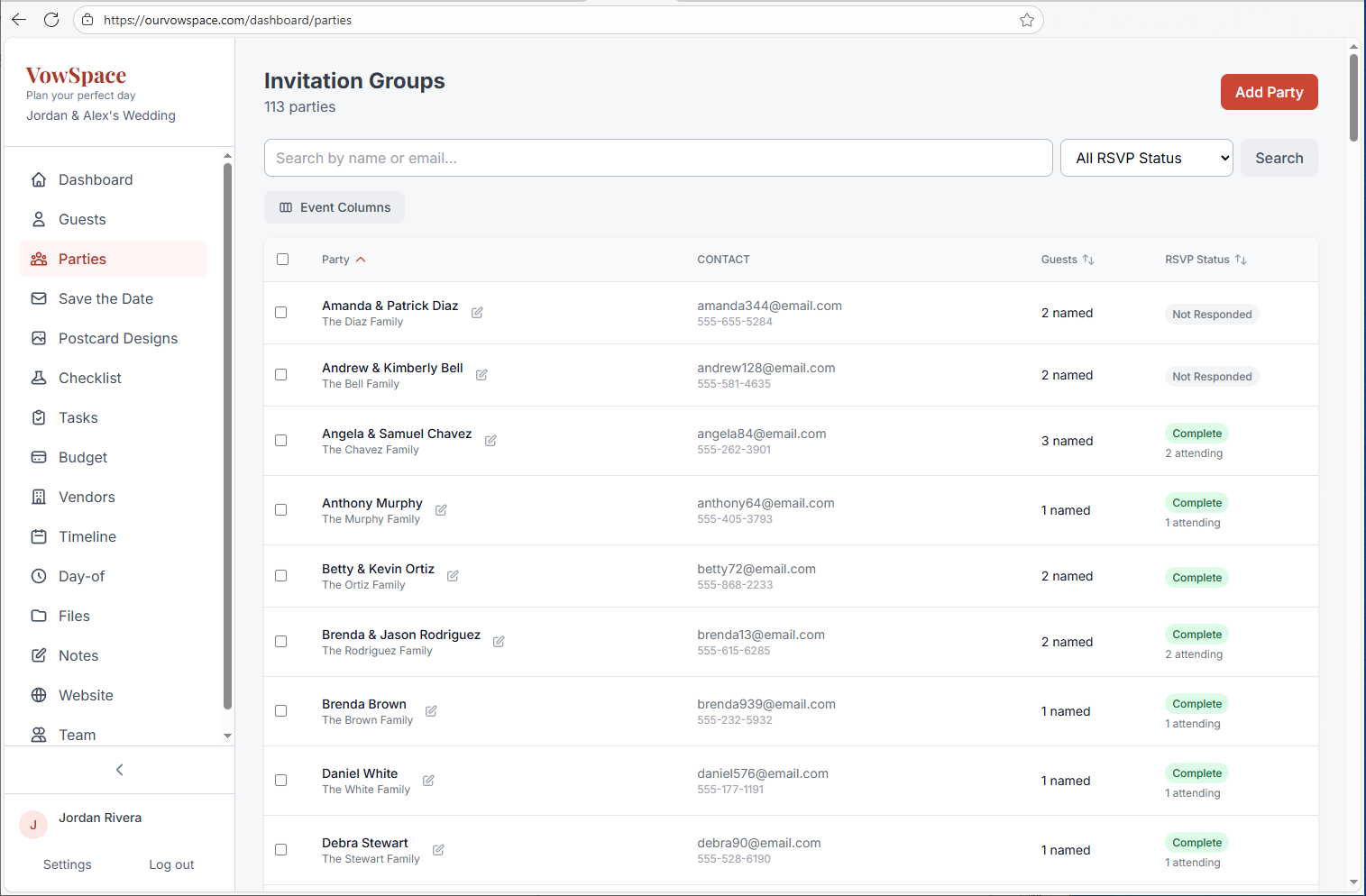
7. Track It All in VowSpace
Whether you start in a notebook, spreadsheet, or directly in VowSpace, the key is having one place where your guest list and RSVP details always stay up to date.